


MATES: Products
MATES Outfitting
Outfitting 3D‑CAD enabling consistent design from initial layout planning through production design
3D Modeling of All Types of Outfitting Models
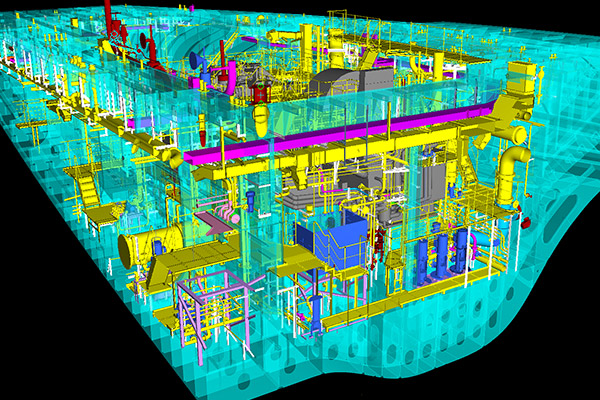
Through dedicated interfaces, MATES enables easy 3D modeling for outfitting layout design, including piping, cable way, equipment, steel outfitting, and supports.
It also offers robust change functions, such as automatic rerouting of pipes when equipment placement changes, enabling efficient 3D outfitting design.
Extensive Quality Check Functions
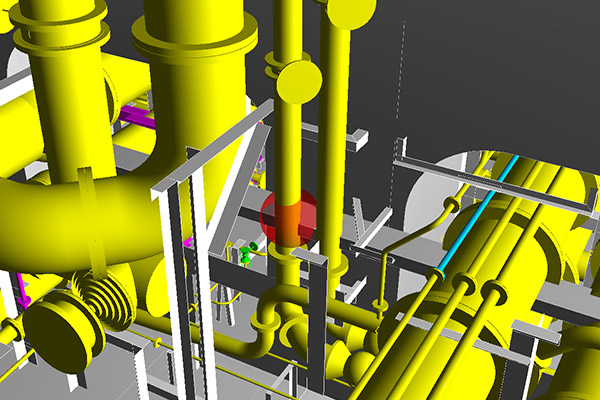
Quality check functions embedding design knowledge enhance design quality and improve productivity.
For example, interference checks identify not only physical clashes but also conflicts that take required clearances into account.
MATES also provides manufacturability checks, such as verifying pipe fabricability before issuing pipe spool drawings.
High‑Accuracy Production Information
High‑accuracy production outputs significantly shorten production design and support high‑precision construction.
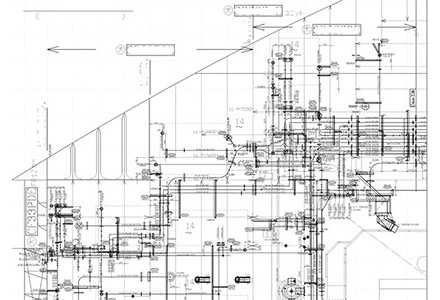
For installation drawings, the system automatically generates not only attribute information (e.g., product numbers) but also necessary annotations such as dimension lines and inclination marks.
For pipe spool drawings, additional information such as pipe cut lengths and flange hole orientation angles is output, so drawings can be provided to in‑house or external manufacturers without manual edits, greatly reducing drafting time.
[ Pipe Spool Drawing ]
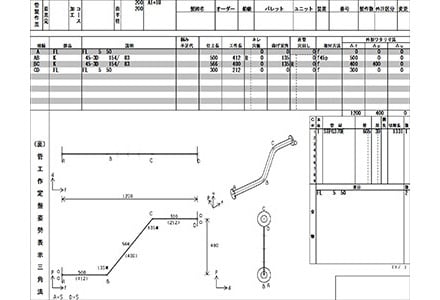
[ Production Drawing of Support ]

[ Installation Drawing ]
- Integration with the Hull System
- The hull 3D model from the Hull Subsystem is used as a background model in the Outfitting Subsystem.
Where pipes penetrate hull members, openings are automatically generated, and opening information is transferred back to the Hull Subsystem, preventing hole‑making errors.
- Customization
- We provide customization based on customer needs. This includes drawing notation adapted to customer practices and factory requirements, and data linkage with factory pipe management systems.
MATES Hull
Hull 3D‑CAD enabling consistent design from hull key plan creation to NC data output
3D Modeling with a Hull‑Drawing Mindset
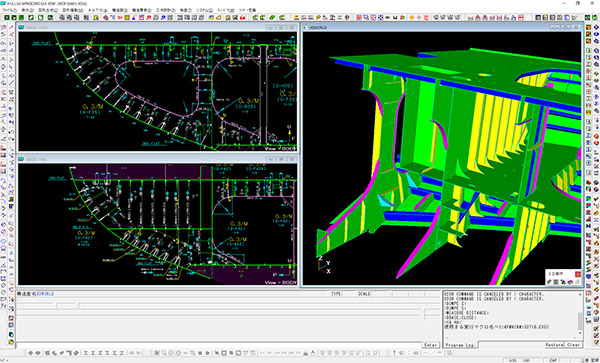
By adding attributes, such as plate thickness and longitudinal sizes, to 2D geometry, 3D models are automatically generated.
Designers can model in 3D with familiar hull‑drafting workflows, without advanced 3D‑CAD skills.
Functions like copying similar transverse sections and various simplified inputs help define standard‑compliant structures with minimal input.
Extensive Quality Check Functions
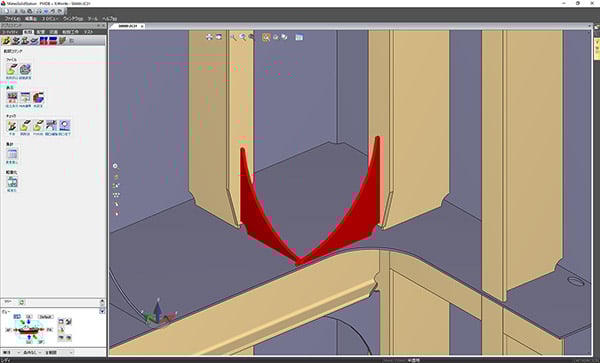
- Quality checks embedding design knowledge contribute greatly to accuracy, including:
- Consistency checks of design information
- 3D solid interference checks for hull (and hull–outfitting)
- Watertight compartment closure checks
Identical‑shape part ID checks
High‑Accuracy Production Outputs
High‑precision outputs reduce rework and enable high‑precision construction, even for personnel with limited lofting skills. Aligned with Japanese shipyard methods, MATES can output a wide range of production information for cutting, assembly, and painting, including:
- NC cutting data
- Profile dimension tables
- Shell plate assembly jig dimensions
- Draft marks
- Painting division line instructions
- Parts lists, weight tables, welding lengths, and more
[ Curved Parts Data ]
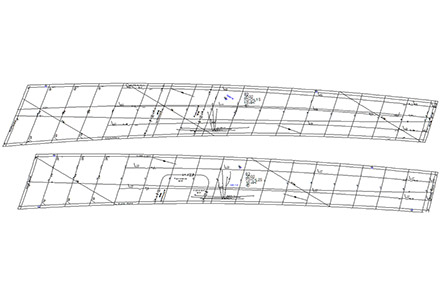
[ Angle Section Drawing ]
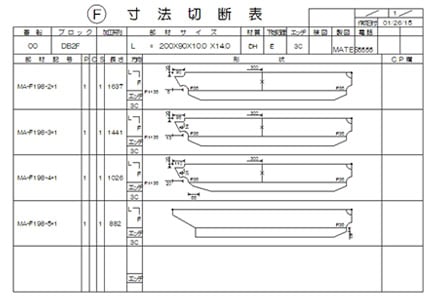
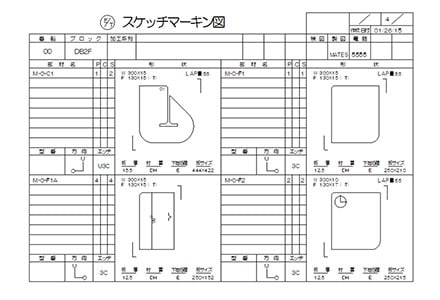
[ Small Piece Drawing ]
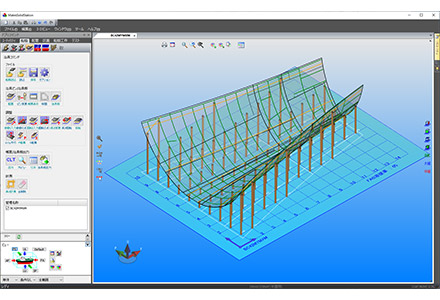
[ Shell Pin Jig ]
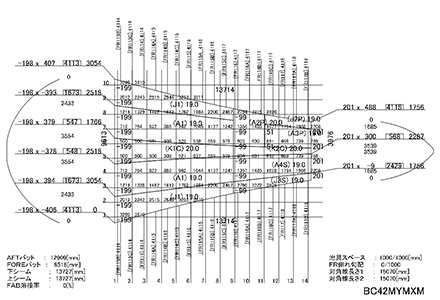
[ Shell Pin Jig Offset Drawing ]
- Customization
- We accept system customization to meet customer-specific requirements, including site equipment and automation needs. In addition to NC cutting machine outputs, we have proven experience integrating profile cutting machines and welding robots, strongly supporting factory automation (FA).
3D Viewer — HullViewer / FitViewer
High‑performance 3D viewers that support shipbuilding manufacturing
- Fast 3D rendering and excellent operability tailored to shipbuilding sites
- Far more intuitive than 2D drawings—easy to visualize the final shape and intermediate states, enabling effective design reviews, construction planning, on‑site installation, and customer communication
The following video shows the main features of 3D-Viewer HullViewer/FitViewer.
- Language switching between Japanese and English (the video demo shows English mode).
HullViewer/FitViewer VR
HullViewer/FitViewer VR is a virtual reality (VR) system that allows users to enter the world of FitViewer viewed through a PC screen. By experiencing the products to be manufactured in advance in the virtual reality world with an overwhelming sense of presence, it reduces mockup production time and improves product perfection.- A dedicated VR headset and a dedicated PC with a VR graphics board are required separately.
HullViewer/FitViewer MR
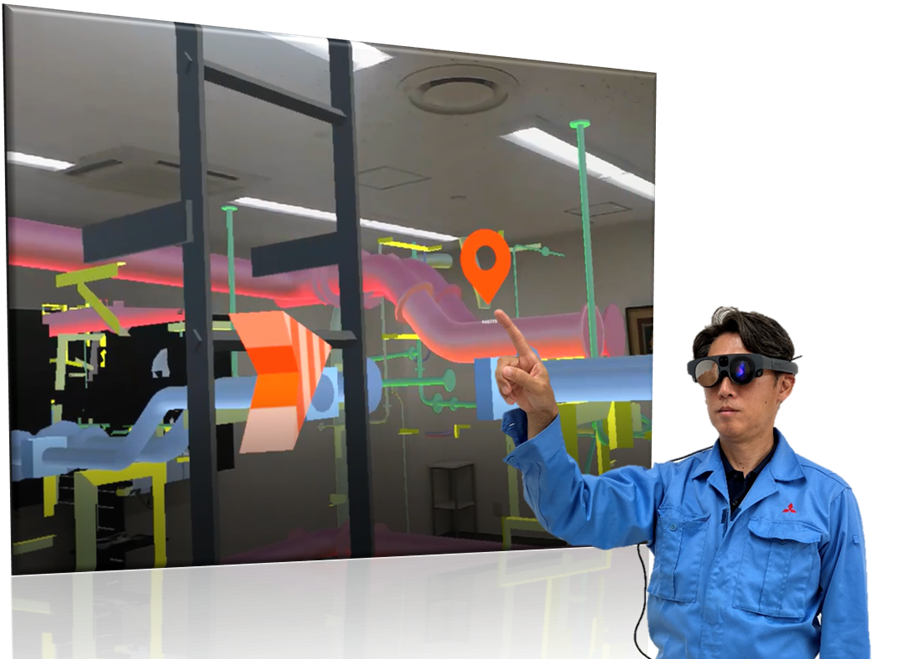
- HullViewer/FitViewer MR is an MR (Mixed Reality) system that superimposes 3D models on the real world at full scale. With FitViewer MR, you can experience the complete future of your product.
- You can wear the MR glasses on your head, so you can work hands-free. You can also use them with a helmet. You can see the real world through the lenses, so there is no safety issue. Please experience the fusion of real and virtual worlds.
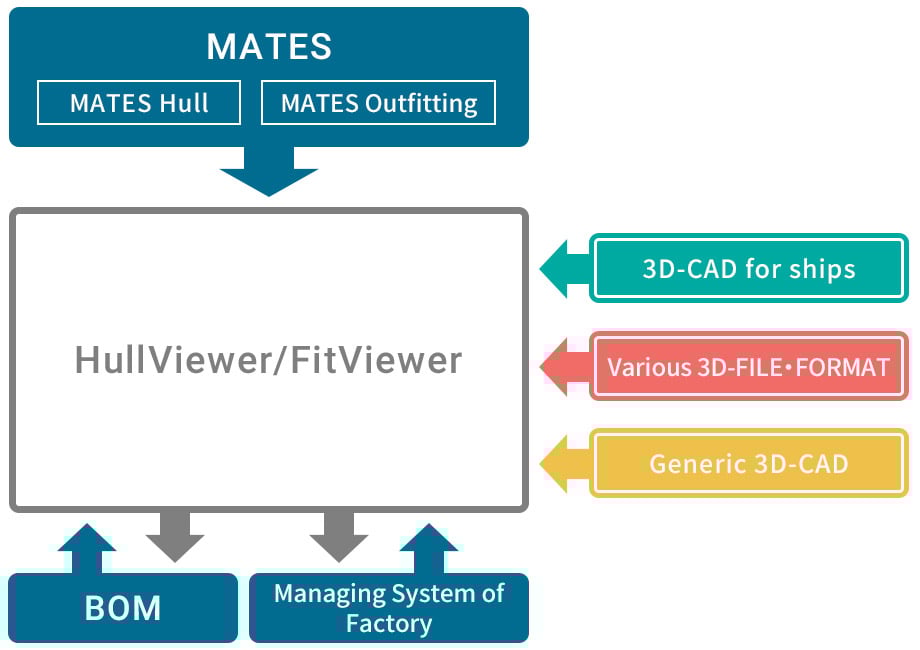
- With customization, 3D models can be linked to customer systems such as factory management systems and BOMs.This enables 3D‑based inter‑team communication and progress visualization.
- HullViewer / FitViewer can also be used with third‑party ship 3D‑CAD, various 3D file formats, and general‑purpose 3D‑CAD data.
Please contact us for details on supported data formats.
System Requirements for MATES
Server
| item | Recommended | |
|---|---|---|
| OS Performance | Main unit | PC/AT(DOS/V)Compatible Computer |
| OS | Windows 11 Professional (64-bit) or Windows Server 2016 or later | |
| CPU | Intel Xeon CPU E5620 2.4GHz or higher | |
| Memory | 16GB | |
| V-RAM | Unspecified * In case that server used both as client, follow system specifications of client | |
| Free disk space | 500GB | |
| Peripheral hardware | Graphics board | Unspecified * In case that server used both as client, follow system specifications of client |
| Network | 1000BASE-T | |
| Backup tool | Some backup tools | |
- 1Recommend to use server computer as dedicated server computer, not to use both as client.l
- 2If the machine is dedicated to a server, there is no need to specify a graphics card.
- 3If you select Windows 11 Professional as the server OS, there is a limit of 10 simultaneous clients.
Client
| item | recommended | |
|---|---|---|
| OS Performance | Main unit | PC/AT(DOS/V)Compatible Computer |
| OS | Windows11(64bit) Professional, Enterprise | |
| CPU | Intel Core i5 3470 3.2GHz or higher | |
| Memory | 16GB | |
| V-RAM | 2GB | |
| Free disk space | 200GB | |
| Peripheral hardware | Graphics board | NVIDIA RTX or Quadro series (OpenGL compatible) *GeForce is not supported. |
| Network | 1000BASE-T | |
| Office | 32-bit Excel 2021 or later or Office365 (outfitting only) | |
- 1The supported OS version is Windows 11 (64-bit only). Operation is not guaranteed with other versions (XP, Vista, 7, 8, 10).
The supported editions of Windows 11 are Enterprise and Professional. Operation is not guaranteed with Home. ) - 2In case use OS for 64bit, use Microsoft Office, especially Excel, for 64bit. Cause of malfunction especially Macro in Excel for 64bit./li>
- 3For graphics boards, please use the NVIDIA Quadro or RTX series in terms of performance, availability, and MATES compatibility.
System Requirements for HullViewer FitViewer
| item | Recommended | |
|---|---|---|
| OS Performance | Main unit | PC/AT(DOS/V)Compatible Computer |
| OS | Windows11(64bit) Enterprise, Professional | |
| CPU | Intel Core i5 3470 3.2GHz or higher | |
| Memory | 8GB | |
| Free disk space | 200GB | |
| Peripheral software | Network | 1000BASE-T |
- The supported OS version is Windows 11 (64-bit only). Operation is not guaranteed with other versions (XP, Vista, 7, 8, 10). The supported editions of Windows 11 are Enterprise and Professional. Operation is not guaranteed with Home.